Online lease signing and lease tracking
Online lease signing lets a landlord send a lease by email for tenants to sign electronically, and see at any moment who has signed.
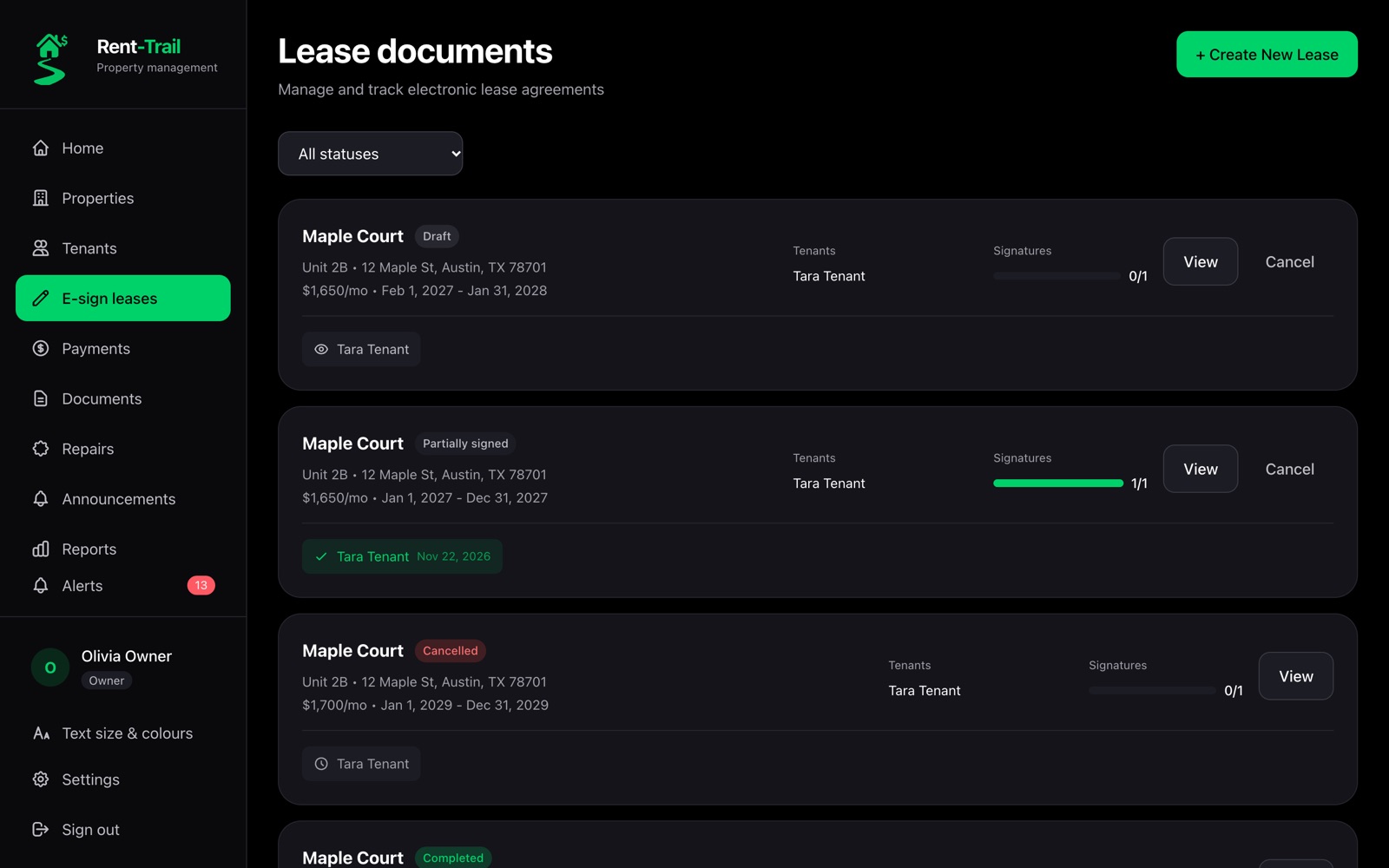
Create the lease, send it for electronic signature and watch it move from sent to fully signed. Rent-Trail shows who has signed and who has not, and keeps the signed copy with the tenant’s record.
Free for up to 5 units. No credit card required.
Send a lease for signature in minutes
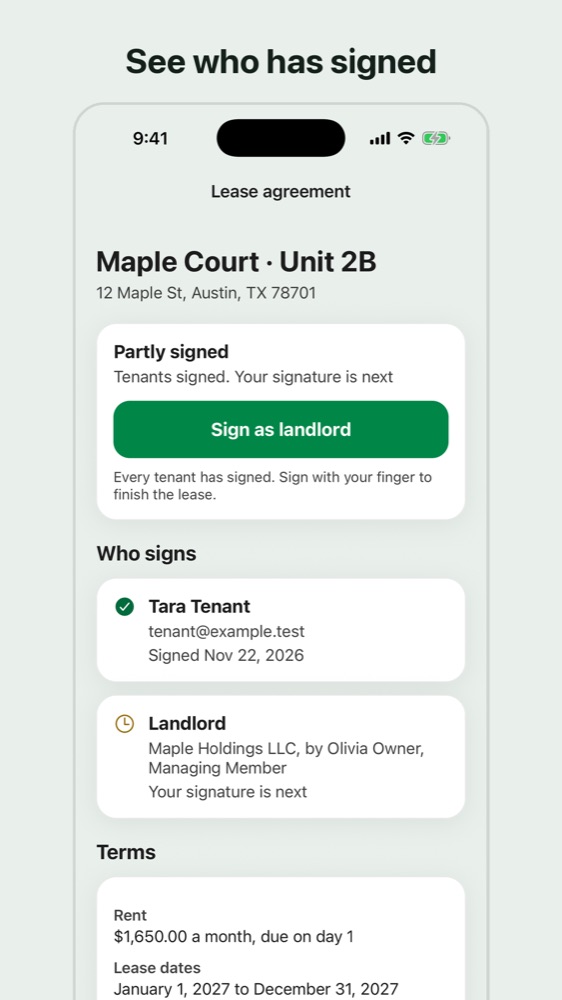
Create the lease from a template, fill in the terms, add the tenants who need to sign and send it. Each signer gets an email with their own signing link and can sign from a phone or a computer.
Track every signature
Each lease document shows its status: draft, waiting for signatures, partially signed or completed. You can see which tenant has signed and which one still needs a nudge, and add your own signature as the landlord.
Signed copies, kept where you can find them
When everyone has signed, Rent-Trail produces a PDF of the signed lease. It is stored with the lease, and the tenant can open it from their own account at any time, along with any other documents you share.
Your state’s rental rules, beside the lease
While you write the lease, Rent-Trail shows a summary of your state’s residential rental rules, such as deposit limits, when a deposit must be returned and late-fee rules. It is a summary and not legal advice: it does not cover city or county rules, and a local attorney should review a lease you are unsure about.
Know when a lease is ending
Rent-Trail tracks start and end dates and reminds you when a lease is close to ending, so a renewal or a move-out is planned and not a surprise.
How lease signing works
- 1
Create the lease document
Start from a template and fill in rent, dates and terms.
- 2
Add signers and send
Each tenant receives an email with a personal signing link.
- 3
Watch signatures arrive
The status moves from waiting, to partially signed, to completed.
- 4
Keep the signed PDF
Stored with the lease for you and available to the tenant.
Common questions
Can tenants sign a lease from their phone?
Yes. Each signer gets an email link and can sign from a phone, tablet or computer.
Can I see which tenant has not signed yet?
Yes. Each lease document lists its signers and shows who has signed, so you know exactly who is still outstanding.
Where is the signed lease kept?
A PDF of the signed lease is stored with the lease in Rent-Trail. You and the tenant can both open it.
Is lease e-signing included in the free plan?
Yes. Leases with e-signature are included in every plan, including the free plan for up to 5 units.
Guides on this topic
- How to get a lease signed onlineHow electronic lease signing works for a small landlord: preparing the lease, sending it to every tenant, tracking who has signed and storing the signed copy.
- How to handle a security depositHow a landlord should collect, hold, document and return a security deposit, what can be deducted, and the state rules on limits and return deadlines.
- How to renew a leaseWhen to start a lease renewal, how to offer new terms, what notice a rent increase needs, and what happens if a lease ends without anything being signed.
More of Rent-Trail
Lease e-signing is one part of an end-to-end property management tool for small and mid-size owners.
Try Rent-Trail with your first 5 units, free
No trial clock and no card on file. See pricing for larger portfolios.
Get Started Free