Rent tracking software for landlords
Rent tracking software is a tool that records what each tenant owes, what they have paid and what is late, for every unit you rent out.
Know who has paid, who is late and what is still owed, for every unit, without a spreadsheet. Tenants record their payment or pay online, you confirm it, and Rent-Trail keeps the history for both of you.
Free for up to 5 units. No credit card required.
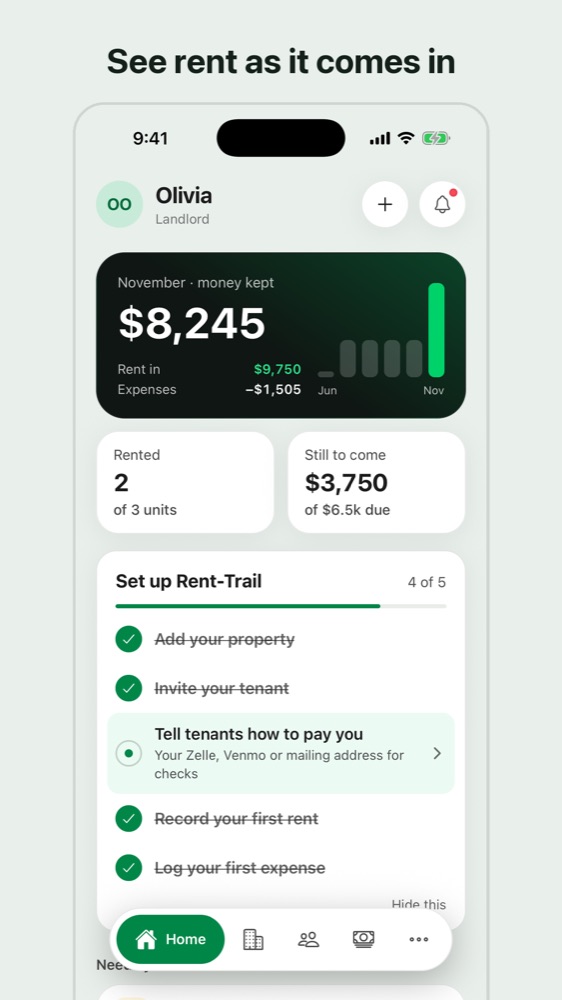
Track rent however your tenants already pay
Most small landlords are paid by Zelle, Venmo, Cash App, PayPal, check or cash. Rent-Trail tracks all of them. The tenant records the payment and can attach a screenshot as proof, and you confirm it with one tap once the money has arrived.
If you connect your own Stripe account, tenants can also pay by card or bank transfer (ACH). Stripe processes the payment and pays it into your Stripe account. Rent-Trail never holds rent money and adds no fee of its own.
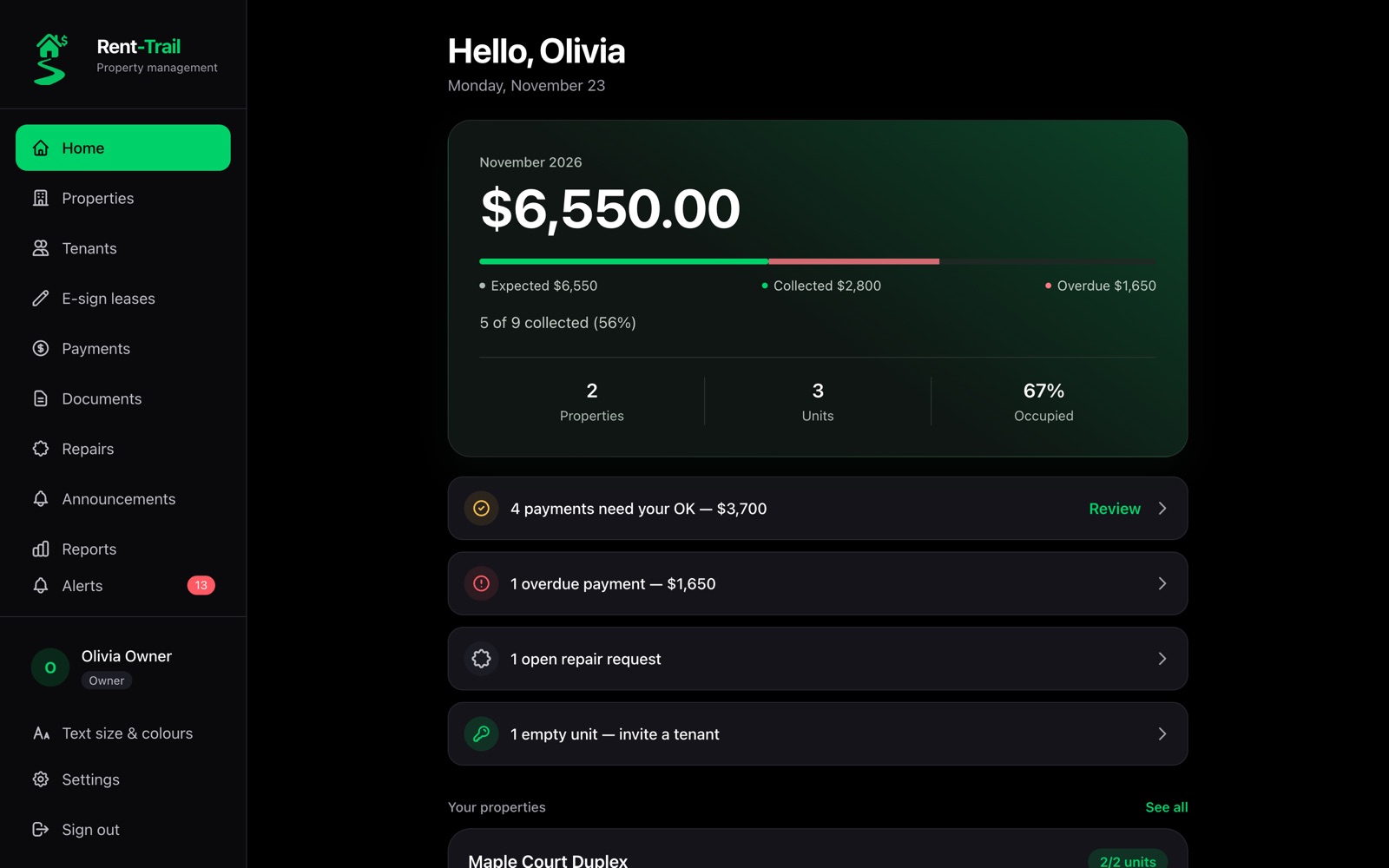
See paid, late and still owed at a glance
The dashboard shows rent collected this month, what is still to come and which tenants are overdue. Each lease has its own payment history, so a question about one month takes seconds to answer.
Late fees you set on the lease are added to the amount due, and partial payments are tracked against the rest of the month.
Reminders so you do not have to chase
Tenants get a reminder when rent is coming due and again when it is overdue, by notification in the app and by email. You are told when a payment is waiting for you to confirm.
Rent records that are ready at tax time
Rent you confirm flows into a Schedule E style income and expense report alongside the expenses you log with receipts. The reports are informational and are not tax advice.
How rent tracking works
- 1
Add the lease
Enter the rent amount, due day and any late fee for each unit.
- 2
Tenant pays or records a payment
By Zelle, Venmo, Cash App, PayPal, check or cash, or by card or bank if you use Stripe.
- 3
You confirm it
Check the proof screenshot against your account and confirm. Card and bank payments confirm themselves.
- 4
Both sides keep the record
The payment shows in the tenant’s history and in your reports.
Common questions
Can I track rent paid by Zelle, Venmo or cash?
Yes. The tenant records the payment and its method, can add a screenshot as proof, and you confirm it when the money arrives. You can also record a payment yourself.
Does Rent-Trail hold my rent money?
No. Tenants pay you directly. Card and bank payments are processed by Stripe and paid into your own Stripe account.
How much does rent tracking cost?
Rent tracking is included in every plan, and Rent-Trail is free for up to 5 units. Stripe charges its own processing fee on card and bank payments, and you choose whether you or the tenant pays it.
Will tenants get reminders when rent is due?
Yes. Rent-Trail sends reminders when rent is due and when it is overdue, in the app and by email.
Guides on this topic
- Choosing property management software as a small landlordWhat property management software does for an owner with 1 to 25 units, the six jobs it should cover, what it costs and how to choose without overbuying.
- How to track rent paymentsA simple system for tracking rent: what to record for every payment, how to handle Zelle, Venmo and cash, and how to spot a late payment the day it happens.
- Rent tracking spreadsheet vs softwareA plain comparison of a rent tracking spreadsheet and rent tracking software for small landlords: cost, reminders, proof of payment, tenants and tax time.
- What to do when rent is lateA calm, step-by-step way to handle late rent: check your records, send a reminder, apply the late fee in the lease and know when a formal notice is needed.
- How to write a rent receiptWhat a rent receipt should include, when a landlord has to give one, how to handle cash and partial payments, and how long both sides should keep receipts.
- How to collect rent onlineThe ways a small landlord can collect rent online, what each costs, how card and bank transfers differ, and how to keep one record whichever way tenants pay.
- Rental property expenses to trackThe rental property expenses a landlord should record through the year, how they map to Schedule E, what to keep as proof and how repairs differ from upgrades.
More of Rent-Trail
Rent tracking is one part of an end-to-end property management tool for small and mid-size owners.
Try Rent-Trail with your first 5 units, free
No trial clock and no card on file. See pricing for larger portfolios.
Get Started Free